One Step
- 4.4
- Rating
- 50.00K
- Installs
- Free
- Price

 Analysis by App-foxy
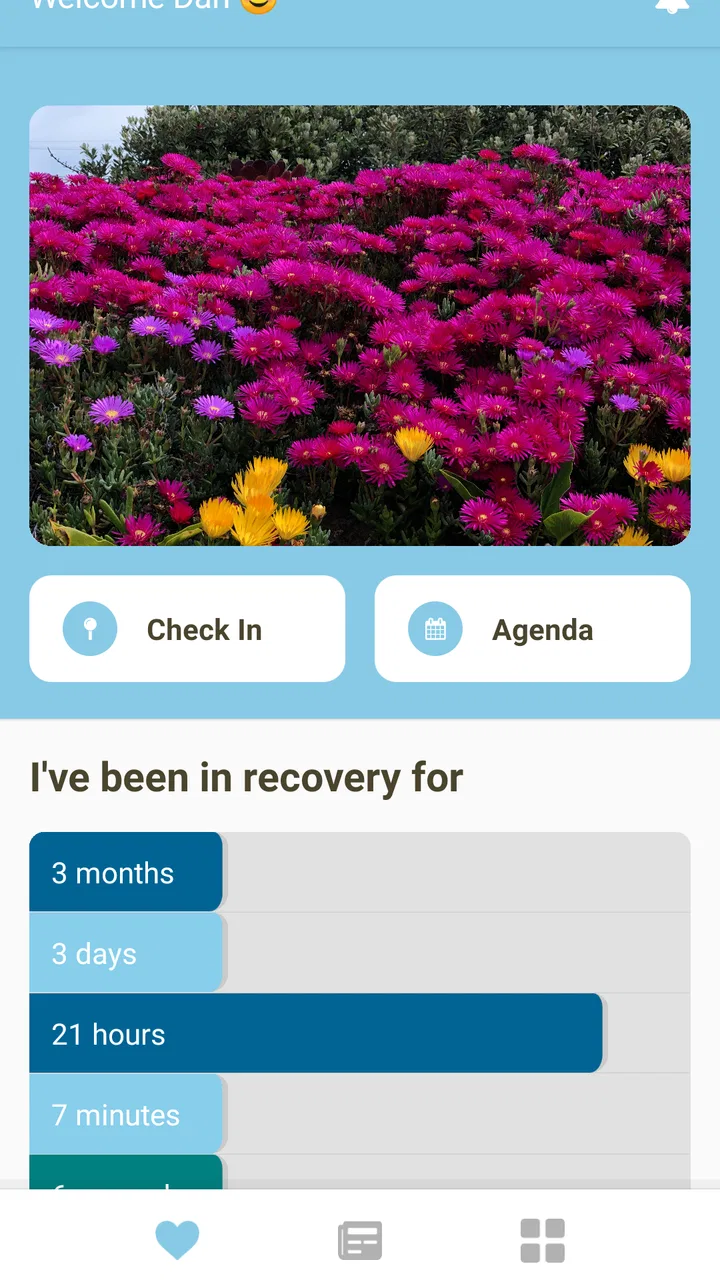
When I first opened One Step, I approached it less like a traditional home-management tool and more like a small personal prompt for turning intentions into action. Its simple idea is reflected in its short store description, but the useful question is whether that simplicity helps in real life. After spending time with it, I think the answer depends on what you want from a home and lifestyle app: if you need a lightweight way to keep moving toward personal goals, it can be appealing; if you expect detailed household planning, shared lists, or a full project-management system, you may find it too narrow.
The app comes from ONE STEP SOFTWARE and sits in the House & Home category. It is free to use, rated for Everyone, and works on Android devices running version 7.0 or later. That broad compatibility makes it easy to consider on an older phone, while the free entry point means trying it does not require a financial commitment. The important thing is to judge it by its approach rather than by expecting a large collection of home utilities.
How I would decide whether One Step fits
My first decision criterion would be the kind of goal you are trying to manage. One Step makes the most sense when the goal is personal, concrete, and easy to approach in small actions. Tidying one drawer, preparing a room for guests, starting a regular cleaning habit, or making progress on a home-related intention are examples of situations where a simple prompt can be more useful than a complicated dashboard.
You May Also Like

 AccuWeather: Weather Radar
AccuWeather Review: A Quick, Clear Forecast for Everyday Decisions
For everyday plans, the best forecast is the one you can understand quickly. AccuWeather makes rain timing, radar, and local conditions easy to act on, with a few trade-offs.

 Hill Climb Racing
Why Hill Climb Racing Still Turns Crashes Into One More Run
A tiny car, a bumpy hill and one more upgrade: Hill Climb Racing keeps resurfacing because its simple chaos makes every near-miss feel personal.

 AliExpress - Shopping App
AliExpress Makes Global Shopping Feel Personal, but Shoppers Bear the Risk
AliExpress turns a global marketplace into a pocket-sized discovery engine. Its reach is useful, its shopping loop compelling, and its trade-offs easy to miss.

 Lords Mobile: Kingdom Wars
Lords Mobile Is a Kingdom-Building Routine, Not a Quick Match
A case-by-case verdict on the building, battles, device demands, and social commitments that make Lords Mobile rewarding for some players and exhausting for others.

 PDF Scanner app - TapScanner
TapScanner Makes Paperwork Easier to Capture, Check, and Share
TapScanner makes scanning with a phone feel less like a rescue operation and more like a dependable step in getting work done. Its capture tools are useful, though not flawless.

 Block Blast!
Block Blast! Shows How Much a Puzzle Game Can Leave Out
A quiet grid game shows why puzzle players increasingly value instant clarity, repeatable skill and low-pressure play—and where the genre still needs to catch up.
More From Our News Desk
View All News


I would not choose it as my only tool for a renovation, a shared household budget, a detailed shopping plan, or a long list of maintenance appointments. Those tasks usually need dates, costs, files, reminders, collaboration, or clearly separated projects. A focused goal app can support the motivation around those activities, but it should not be mistaken for a complete household operations system.
That distinction matters because many people download apps in this category hoping one installation will solve every organizational problem. In my experience, the better approach is to decide whether you need encouragement and direction or whether you need storage for information. One Step is more interesting for the first need. It is less convincing when the second need dominates.
The app has reached over fifty thousand installs and holds a 4.4 average from around one thousand ratings, with hundreds of written reviews. Those figures suggest that its uncomplicated approach has found an audience, but they do not replace personal testing. A person who enjoys a minimal interface may appreciate it immediately, while someone accustomed to elaborate productivity tools could interpret the same restraint as a lack of depth.
The everyday test: turning a vague intention into a next action
Imagine that a friend is visiting at the weekend and your apartment feels disorganized. A normal notes app lets you type a long list: clean the living room, sort the hallway, wash the bathroom, buy supplies. The problem is that a long list can become another source of avoidance. With One Step, I would use the central idea differently: choose the most approachable action first, complete it, and then decide what deserves attention next.
That workflow sounds modest, but it changes the emotional weight of the task. Instead of treating the whole apartment as one project, I can focus on the first useful movement. The app is most valuable in that moment, when the obstacle is not a lack of information but difficulty getting started.
A practical tip is to define the first action so narrowly that there is little room for interpretation. “Improve the kitchen” is too vague. “Clear the counter beside the sink” gives me a visible finish line. Once that is done, I can create or choose another step. This is not a hidden technical feature; it is a better way to use the app’s philosophy, and it prevents a simple tool from becoming a container for intimidating ambitions.
Where the focused approach works best
One Step wins over a conventional notes app when I need a little structure without building a system. Notes are excellent for collecting information, but they rarely tell me what deserves attention first. A calendar is better for appointments and deadlines, but it can make everyday goals feel like fixed obligations. A full task manager offers more control, yet that control often comes with setup time and maintenance.
The strength here is the reduced distance between opening the app and thinking about the next useful move. For a person who repeatedly creates elaborate plans and then abandons them, that reduction can be meaningful. The app encourages a narrower question: what is the next step I can actually take?
I also see value for users who are trying to build consistency around home routines. Someone moving into a new apartment could use it to approach unpacking gradually rather than attempting everything in one exhausting session. A person preparing for a change in living arrangements could use the same method to break a stressful transition into manageable actions. In both cases, the benefit comes from lowering the starting barrier.
Another non-obvious use is as a reset tool after a busy week. Instead of adding every unfinished responsibility to a large master list, I would select one action that improves the immediate environment. A clear table, an emptied laundry basket, or a prepared bag for the next morning can create momentum. The app is not doing the physical work, of course, but it can help me choose a useful entry point.
What the current version contributes to the experience
The current version is 2.6.15, and I found the overall appeal tied to its directness rather than to a long feature checklist. That makes the experience approachable for someone who does not want to learn a complicated productivity method. It also means that the app rewards disciplined use: if I enter goals that are too broad or treat it as a dumping ground for every thought, its simplicity stops helping.
There is a trade-off between clarity and detail. A focused tool can keep my attention on one action, but it may not satisfy me when I need a complete record of everything connected to a household project. I would therefore use it alongside a more conventional tool when necessary, not force it to replace every other method.
For example, I might keep appliance information, measurements, and purchase research in notes while using One Step to maintain forward movement on the physical work. That division is more practical than expecting one app to hold both motivation and reference material equally well.
Where alternatives may fit better
A standard checklist is the stronger choice when the order of tasks matters or when I need to see many items at once. If I am packing for a move, preparing several rooms, or coordinating errands, a checklist gives me a reliable overview. One Step may help me begin, but it is not the obvious replacement for a detailed inventory.
A calendar is preferable for anything tied to a time that cannot slip. Cleaning before a landlord inspection, meeting a contractor, or remembering a service appointment requires scheduling. A goal-oriented prompt can support preparation, but it does not replace a date-based reminder system. I would use the calendar for the fixed commitment and One Step for the preparatory action.
Shared household apps are also a better fit for couples, families, or roommates who need everyone to see and update the same information. If the main challenge is deciding who buys groceries or who handles a repair, individual progress is not enough. In that situation, collaboration matters more than minimalism.
For detailed projects, a full task manager may justify its extra complexity. Renovations, moves, decorating plans, and recurring maintenance can involve dependencies, costs, documents, and multiple deadlines. Those tools require more effort, but that effort buys visibility. I would accept the learning curve when losing track of information would be more expensive than spending time setting up the system.
There is also a category difference worth noting. Some home apps concentrate on inspiration, shopping, interior design, or practical reference material. One Step should not be judged as though it were a catalog of products or a room-planning tool. Its value is closer to personal progress than to visualizing a finished space. If I want ideas for colors or furniture, I would look elsewhere; if I need help taking the first action, this approach is more relevant.
Limitations I noticed in the decision process
The biggest limitation is that simplicity can become ambiguous. A new user may understand the general promise but still wonder how specifically to frame a goal. The app works better when I bring a clear intention and translate it into a small action. It is less helpful if I expect the app to diagnose my priorities or design a complete routine for me.
Another friction point is scale. One Step feels suited to a manageable number of active intentions. If I continually add goals without closing old ones, the mental benefit of focusing on one step can disappear. My advice is to review the list regularly and remove, pause, or redefine anything that no longer reflects a real priority. That is a usage habit rather than a technical setting, but it makes a noticeable difference.
I would also be cautious if I need strong accountability from other people. A private nudge is not the same as a shared responsibility. Someone who succeeds through group check-ins, assigned tasks, or visible deadlines may feel more supported by a collaborative platform.
Because the app is free, it is easy to try without weighing a subscription decision. The real cost is attention: every goal system asks me to return to it and act. If I already have a trusted method that I consistently use, adding One Step may create duplication rather than improvement. The best reason to switch is not that it has more functions, but that its narrower approach removes friction from starting.
How I would switch without creating another abandoned system
I would not transfer every existing task into the app. That is a common mistake when moving from a notes file or a large task manager. Instead, I would choose one area of life, such as keeping the entryway under control, and use One Step only for that area for several days. This makes it easier to tell whether the app changes my behavior or merely gives me a new place to write intentions.
My next tip is to keep reference information separate. Product links, measurements, receipts, and detailed instructions belong in a notes or storage system. One Step should carry the action that moves the project forward. Separating those roles keeps the app clean and makes each opening more purposeful.
I would also avoid turning every step into a recurring obligation immediately. First, I would test whether the action is realistic. If “sort paperwork” repeatedly remains unfinished, I would reduce it to “open the top envelope” or “make one pile for documents to keep.” That adjustment is especially useful for users who feel discouraged by unfinished lists.
For a household with more than one person, I would agree on who owns the next action before relying on the app. Without that conversation, a personal goal tool can leave shared responsibilities unclear. It can still help each person manage their part, but it should not be used as a substitute for agreeing on ownership.
The switch is worthwhile when my current method is full of abandoned plans, excessive categories, or lists that make small jobs look enormous. It is not worthwhile when my existing calendar, checklist, or shared manager already gives me the right level of control and I am using it consistently.
Who should install it, and who should skip it
I would recommend giving One Step a try if you want a free, uncomplicated way to approach personal goals connected with everyday home life. It is particularly suitable for someone who responds well to small wins, dislikes complicated setup, or needs help converting a vague intention into a manageable next action. The Everyone rating also makes it approachable for a broad household audience.
I would be more hesitant to recommend it as the primary tool for a professional organizer, a property manager, a renovation team, or a busy family coordinating many people. Those users generally need records, assignments, schedules, and detailed project visibility. A minimal goal app may still play a supporting role, but it will not cover the whole workflow.
I would also skip it if I am looking specifically for design inspiration, shopping comparisons, inventory management, or technical home-maintenance guidance. The category label may attract people seeking any kind of home utility, but the app’s practical identity is about taking a step toward a goal, not supplying a complete library of home services.
My recommendation after using it
My final view is favorable, with a clear condition: One Step is worth installing when the problem is starting, not when the problem is storing every detail. Its free price and low barrier make experimentation easy, and its approach can be surprisingly effective for small household improvements that otherwise remain on the mental to-do list.
I like it most as a companion to other tools. I would keep appointments in a calendar, information in notes, shared duties in a collaborative list, and use One Step to keep one personal action moving. That combination respects the app’s strength instead of demanding that it become something larger.
ONE STEP SOFTWARE has created an app with a focused purpose, and the experience is strongest when I accept that focus. It does not need to overwhelm me with options to be useful. If I choose a precise next action, return to it honestly, and keep larger reference material elsewhere, it can turn a stalled home goal into visible progress.
My recommendation: try it if you want a gentle, action-first companion for personal home goals; choose a checklist, calendar, or shared project tool instead when coordination, deadlines, or detailed records are the real priority.
FAQs for One Step
01What is the primary purpose of the One Step app?
One Step is designed to enhance productivity by providing users with tools to manage tasks efficiently. It integrates various features such as to-do lists, reminders, and calendar synchronization, making it a comprehensive solution for personal and professional task management. Users can customize their experience to suit their specific needs, ensuring they stay organized and focused.
02Is One Step available on both Android and iOS platforms?
Yes, One Step is available for download on both Android and iOS platforms. This cross-platform availability ensures that users can seamlessly switch between different devices without losing any data or functionality. All features are consistently available across both operating systems, providing a unified user experience.
03Does One Step offer any collaboration features for teams?
One Step includes collaboration tools that allow team members to share tasks, set group reminders, and assign responsibilities. This feature is particularly useful for businesses and groups that need to coordinate efforts and track progress collectively. Members can communicate within the app, ensuring everyone stays on the same page.
04Are there any in-app purchases or subscription fees in One Step?
One Step offers a free version with basic features, but there are also premium options available through in-app purchases or subscription plans. These premium versions provide enhanced functionalities such as advanced analytics, custom themes, and additional storage. Users can choose the plan that best fits their requirements.
05How does One Step ensure user data security and privacy?
One Step prioritizes user data security by employing encryption protocols and regular security updates. The app requires minimal personal information, and users can control what data is shared or stored. Additionally, One Step adheres to strict privacy policies to ensure user data is not accessed by unauthorized parties, maintaining user trust and confidentiality.
Pros
- User-friendly interface for easy navigation.
- Customizable settings for personalized experience.
- Lightweight and fast installation process.
- Offers offline mode for data saving.
- Regular updates with new features.
Cons
- Limited free version features.
- Occasional in-app ads may interrupt use.
- Some features require a subscription.
- Compatibility issues on older devices.
- No integration with third-party apps.

One Step
Gallery